Cronomicon
The self-hosted Script Orchestrator — schedule and run Bash, Ansible, Terraform, PowerShell, Perl and Python jobs across your fleet from one auditable web console.
This course is for people who administer Cronomicon, not just operate it: you set up scopes, decide who can do what, enrol runners, and hold the secrets. It assumes the operator course.
Take the operator course before this one. It covers the composable model, where definitions live, the Run dialog, blast radius, how runs start, and reading results. Everything below assumes all of it, and none of it is repeated here.
Two modules carry more weight than the rest. A2 and A4 are where an administrator's mistakes are expensive — one strands work where nothing can run it, the other locks people out or hands them everything. Slow down on both.
Your progress
Saved in this browser only. Not sent anywhere, not visible to anyone else.
A1 · Scopes, inventory and hosts
A scope is a named set of hosts plus the run types they support. It is the closest thing to an Automate Schedule agent environment, and it does more than group machines: it is the boundary a run cannot cross. Getting scopes right is most of getting targeting right.
Scopes have a source too
Like jobs and schedules, a scope is either git or cronomicon. A git scope is
defined in a repository and synced in; an Cronomicon scope is authored in the app. The same rule follows:
if it came from Git, change it in Git.
Hosts work the same way, and this is where it gets interesting — a single scope can contain hosts from both sources at once. Hosts imported from a Git inventory carry a read-only badge; hosts you add in the app are yours to edit. When a name exists in both, the Cronomicon entry wins.
Why the Cronomicon entry wins, and how to use that
Because it is the overlay. The repository describes the fleet as the team that owns the repository understands it; your overlay describes what is true for this Cronomicon installation — a different address, a bastion, a specific credential.
The practical use: you do not have to get a pull request merged to fix one host's connection details. Add the overlay, move on, and let the repository catch up. The practical risk: an overlay you forget about will keep winning long after the repository was fixed. Overlays are worth reviewing occasionally.
Ansible inventory
A scope can carry a full Ansible inventory in INI form. Cronomicon parses it into an advisory projection — groups, hosts, group variables — which is what the app shows you and what group targeting resolves against.
"Advisory" is doing real work in that sentence
Cronomicon parses a deliberately limited subset of inventory syntax. Anything it cannot parse it degrades loudly — it tells you, rather than quietly showing you an inventory that is missing half its groups.
The projection is for display and for resolving group targeting. The inventory that Ansible actually runs against is the one in the repository. When they disagree, the repository is right, and the projection warning is your signal that they do.
One hard rule: an inventory containing secrets is rejected outright. Not warned about — rejected. Inventories are read by more people than you think.
Which is it?
A host's SSH port is wrong for this installation only
An Cronomicon overlay host
Exactly what the overlay is for. Add the host in the app with the right port; it wins over the git-imported entry of the same name.
A new server everyone's automation needs to know about
Git
If it belongs to the fleet as everyone understands it, it belongs in the repository. An overlay here means the next person to read the inventory gets the wrong picture.
This scope's hosts sit behind a firewall the server cannot cross
An agency, plus a runner — not a scope change
Reachability is not a property of the host list. That is A2, and it is the next module.
A2 · Agencies and network isolation
An agency is a network-isolation zone. It answers one question: which runners are allowed to execute this work? And the answer is enforced as a hard boundary, not a preference.
Two facts do most of the work:
A run carries agencies
Snapshotted when the run is enqueued, from the scope it is bound to. Changing the scope's agencies later does not retroactively move runs already queued.
A runner belongs to agencies
Set by you, in the app. Never self-declared by the agent — a runner cannot talk its way into an agency by claiming membership.
The dispatch rule, exactly
It is disjoint in both directions, and the second half is the one people miss:
- A run that carries agencies can only be claimed by a runner that belongs to at least one of them.
- A run that carries no agencies can only be claimed by a runner that belongs to no agencies at all — the general pool.
So putting a runner into an agency does not add capability to it. It removes that runner from the general pool. This is deliberate: an isolation boundary that leaks in one direction is not an isolation boundary.
Check yourself
Scenario A1
You have one runner, doing general work happily. A new isolated network needs automation, so you create the agency dmz and add your existing runner to it, expecting it to handle both.
What happens to the general work it was doing?
Nothing — it now does general work and dmz work
No, and this is the assumption that causes the outage. Agency membership is not additive capability.
It stops. Untagged runs can only go to a runner with no agencies at all.
Correct. The moment that runner joined an agency it left the general pool, and every untagged run now has nowhere to go — they queue rather than fail, which is why this can go unnoticed for a while.
The fix is a second runner. A runner is a small binary; needing two is the intended shape, not a limitation.
General runs fail immediately with "no runner available"
No — they queue, which is worse for your Tuesday because nothing alerts as loudly as a failure would. The signal is a stuck-run indicator and a growing queue, not a red row.
Takeaway: joining an agency removes a runner from the general pool. Plan runner coverage per agency, and keep at least one runner in the general pool if anything still needs it.
Scenario A2
A job bound to a dmz scope has been queued for twenty minutes. The dmz runner shows as offline.
Can you get the run moving by pointing the job at a scope with no agency?
Yes — re-binding the job releases the queued run to the general pool
No. The run snapshotted its agencies when it was enqueued, so the run that is already waiting keeps waiting. Editing the definition changes what happens next time.
No — and you should not want to. Fix the runner.
Correct on both counts. The queued run keeps the agencies it was enqueued with, and the boundary exists because those hosts are isolated for a reason. Routing round it is precisely the thing agencies prevent.
The right move is to bring the runner back. Offline runners re-admit themselves automatically on their next successful poll, so often the answer is fixing the network or the service on that host and waiting.
Yes, after cancelling and re-triggering the run
Mechanically this would enqueue a fresh run with the new binding — but it would run department-isolated work outside its isolation zone. If you find yourself here, the question to escalate is whether the scope's agency is right, not how to bypass it.
Takeaway: a run's agencies are fixed at enqueue. Agencies are an isolation guarantee — when one blocks you, that is the feature.
A3 · Runners
A runner is a small external binary that polls Cronomicon for work. You need one when the server cannot reach the targets directly, when the work must execute inside an isolated network, or when a job watches for arriving files.
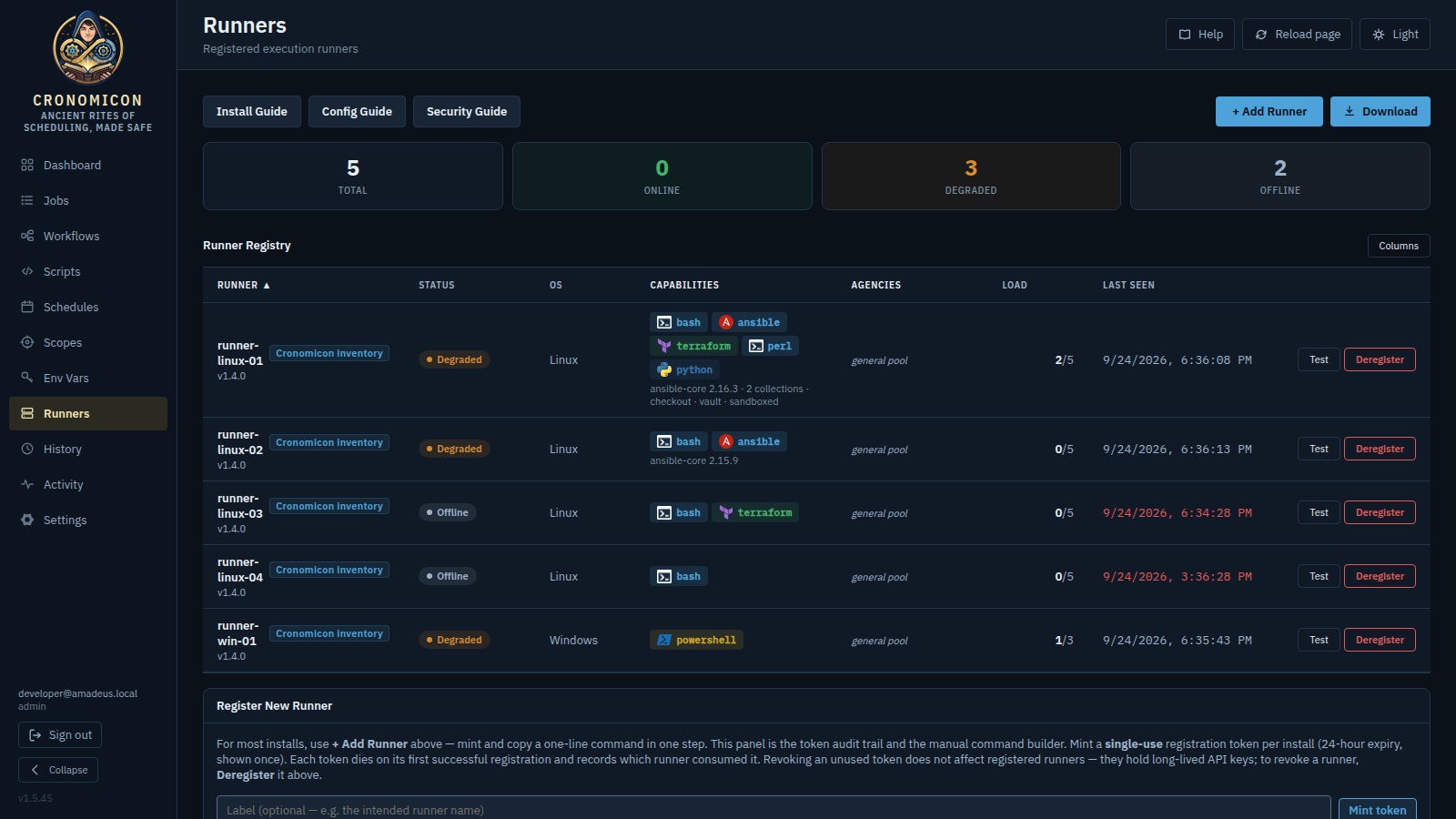
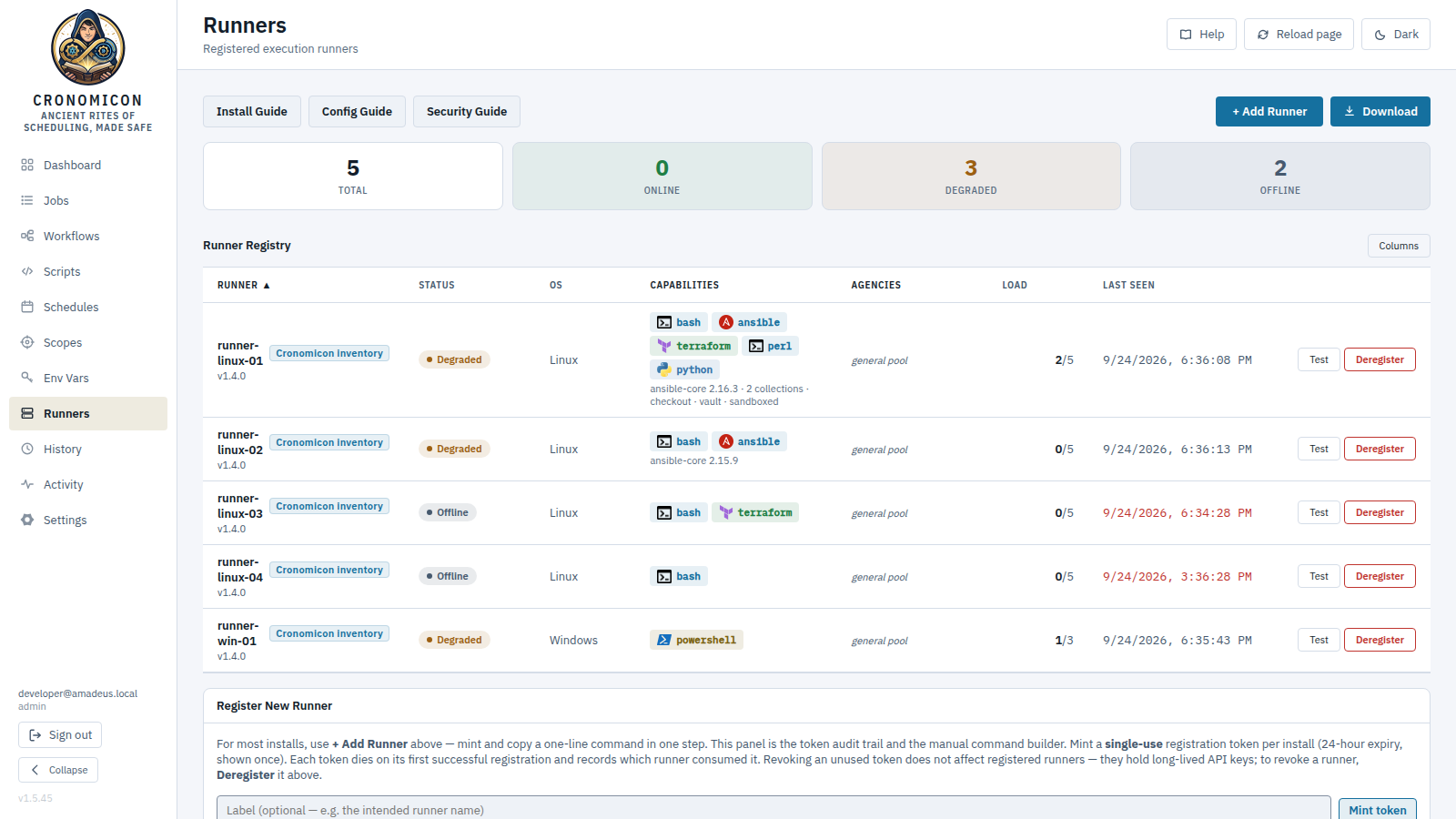
Three states, and one of them is not stored
Online
Heartbeating normally. Claiming work.
Degraded
Has not heartbeated for more than two minutes. Still counts as reachable.
Offline
Gone long enough to be treated as absent. Re-admits itself on its next successful poll.
Degraded is computed when you look, never written down
It is derived from the last heartbeat at read time. There is no background job flipping runners to degraded and no stored value to go stale — which means the state you see is always current, and a runner that recovers stops being degraded the instant it heartbeats.
Recovery actions are available on degraded runners, not just online ones. A runner that has gone quiet is exactly the one you want to be able to act on.
Capabilities are flags you set, not claims the agent makes
A runner does only what it was started and configured to do. Two capabilities matter most, and both are opt-in:
Checkout — running full Ansible playbook projects
Off unless the agent was started to allow it, and then bounded: a repository allowlist, a server-pinned commit, a read-only deploy credential, and a secret scan of the tree before it runs. Body-only runs need none of this.
File watching — the other reason to deploy a runner
Also opt-in, with an allowlist of paths it may watch. The agent reports what it observed; the server decides whether that means a run. The agent never triggers anything itself.
It polls rather than using filesystem notifications — deliberately. The stability check ("size unchanged for N seconds") needs polling anyway, and filesystem notifications do not fire for writes made by another host over NFS or SMB, which is exactly where drop directories live. A watcher that silently never fires there would be worse than a slower one that always works.
Secret injection — a flag with teeth
A job that binds secret references may only be claimed by a runner you have flagged for secret injection, and which speaks a recent enough protocol. An unflagged runner leaves such a run queued for an eligible one rather than claiming it and failing.
Same shape as agency isolation: eligibility filters dispatch, so the wrong runner never sees the work.
Protocol version, and why an old runner disables buttons rather than hiding them
Agent and server negotiate a wire protocol version. Newer features need newer agents, so a runner that is behind simply cannot do some things.
When that happens the control is disabled with a tooltip naming the fix, not hidden. A missing button is a mystery; a disabled one that says "needs agent v10 or later" is an instruction. That is a house rule across the whole app.
A4 · Who can do what
This is the module to read twice. Access mistakes are quiet: nobody reports being able to do something they should not.
Two halves, and they must come from the same grant
Access is not "a role" plus "some scopes" held separately. It is a grant: an AD group, a role, and where that role applies — one row, one package.
The rule that follows is the single most important thing here: a permission and a scope must come from the same grant. Cronomicon never combines the verb from one grant with the territory of another.
The six permissions
- Trigger jobs — start a run.
- Kill jobs — stop one that is going.
- Manage env vars — env vars and secrets.
- Publish schedule — push definitions to GitLab.
- Configure app — settings, scopes, agencies, runners.
- Manage roles — roles and grants. The one that can grant itself away.
Four roles come built in — admin (all six), approver (trigger, kill, publish), operator (trigger, kill) and viewer (none, read-only) — and you can define your own from the same six.
Where a grant applies
All scopes
Unrestricted. The role's permissions apply everywhere, including to anything created tomorrow.
One agency
The role applies to that agency's scopes, and follows as the agency's membership changes.
No grant
Zero access. Not "everything" — nothing.
That third one is the trap: an empty scope list does not mean unrestricted. It fails closed. Some schedulers treat an empty restriction list as "no restriction"; Cronomicon does not, and nothing you have carried over from such a tool should assume it.
One more thing that catches people: AD group names are case-sensitive.
Finance-Ops and finance-ops are different groups, and a grant against the
wrong case simply never matches — silently, because there is nothing to report.
Check yourself
Scenario A3
Dana is in two AD groups. One grants viewer across all scopes. The other grants operator on the Finance agency.
Can Dana run a job in the Tax agency?
Yes — she has operator somewhere, and viewer everywhere
No, and this is exactly the mistake the same-grant rule exists to prevent. It takes the verb from the second grant and the territory from the first. Cronomicon never does that.
No. She can see Tax jobs, and run nothing there.
Correct. Each grant is evaluated whole. The viewer grant reaches Tax but carries no verbs; the operator grant carries the verb but does not reach Tax. Neither grant answers yes on its own, so the answer is no.
She can run jobs in Finance, and read everywhere.
No, and she cannot see Tax jobs either
Half right. The viewer grant does reach all scopes, so she can see Tax jobs — she just holds no verbs to use on them. Visibility and capability are separate questions, answered by different grants.
Takeaway: evaluate one grant at a time, whole. "Can do this somewhere" is never "can do it here".
Scenario A4
A contractor needs to run one specific job in Finance and nothing else. You are looking for a per-job permission and cannot find one.
What is the right shape?
Grant operator on all scopes and rely on them only touching that job
No. That is not access control, it is a request. It also fails the question anyone will ask afterwards: what could this account have done?
A scope containing only what that job targets, an agency for it, and a grant against that
Correct. There is deliberately no per-job permission — the unit of access is the scope, reached through an agency. Narrowing access means narrowing the territory, which also narrows the blast radius of anything that goes wrong.
If that feels like a lot of structure for one contractor, that is the system telling you something true: one job's worth of access is unusual, and it is worth being deliberate about.
Make a custom role holding only "trigger jobs" and grant it everywhere
Better than the first option, and still wrong on the territory: "everywhere" means every scope including ones that do not exist yet. The custom role is a good instinct — pair it with a narrow agency rather than all scopes.
Takeaway: the unit of access is the scope. Narrow the territory, not the job list.
Scenario A5
Tidying up, you remove the last grant that gives anyone manage roles across all scopes.
What happens?
Cronomicon refuses — it will not let you remove the last unrestricted administrator
Correct. There is a guard for exactly this, because the failure is unrecoverable from inside the app: nobody left could grant the permission back.
It is the one place where the system overrules an administrator, and it earns it.
It succeeds, and you fix it by editing the database
It does not succeed. And "fix it in the database" is a bad plan you should not need — which is why the guard exists.
It succeeds, and everyone is silently promoted to admin
No. Cronomicon fails closed everywhere — the failure mode of losing access control is that nobody can do anything, never that everybody can.
Takeaway: the system fails closed, and guards the one door that cannot be reopened from inside.
One operational note
Changing roles or grants revokes existing sessions. People will be asked to sign in again, and their new access takes effect immediately rather than whenever their session happened to expire. Worth saying out loud before you make a change during business hours.
A5 · Secrets, variables and credentials
Four different things live near each other. Choosing the wrong one is how values end up in logs.
Env var
An ordinary value. Visible in logs. For configuration, not credentials.
Secret
Encrypted at rest, injected only into runs that declare it, masked in logs as it is written.
Vault reference
Same, but the value lives in Vault and is fetched at dispatch. Cronomicon stores the name.
SSH credential
A first-class key for connecting to hosts, with its own rotation and usage tracking.
Jobs bind names, never values
A job declares which secrets it needs by reference. Nothing sensitive is stored in the job definition, which is what makes it safe for that definition to live in Git and be read by anyone with repository access.
At dispatch, only the declared references are resolved, injected into that one run, recorded in an audit row, and fed to the log redactor. A run that does not declare a secret cannot see it.
Redaction happens on the way in, not on the way out
Values are masked as the log is written, so there is no unredacted copy on disk to leak later.
The corollary matters for your operators: ordinary variables and run inputs are not masked, deliberately, because they are usually what someone needs to see when diagnosing. So the rule to teach is simple — if a value must never appear in a log, it must be a secret, not a variable.
Run-as credentials belong to the agency, not the job
One job body can run under each department's own credential: the credential is resolved per run from the run's agency, rather than baked into the job. That is what lets a single job definition serve several departments without any of them holding another's credential.
A become password is never an environment variable. It has its own path precisely so it cannot land in an env dump.
The one that will catch you in a fresh install
The secret store needs its encryption key configured. Without it, creating a secret fails — and the failure is at save time, not at startup, so a server that looks healthy can be unable to store a secret.
Check it as part of standing an environment up, not when somebody first tries to add a password.
A6 · Authoring in the app
Most definitions come from Git. Cronomicon can also author its own, and knowing which surfaces do that — and which deliberately do not — saves a lot of hunting.
What you can author in the app
- Compose — build a job by binding a script to a scope, schedules, variables and declared run inputs.
- Workflow Editor — compose a workflow from job steps, with a visual canvas.
- Schedule Builder — author schedules, with a cron helper.
- Calendars and Reactions — both authored in the app.
- Scopes, agencies, runners, secrets, grants — all app-owned.
All of the authoring surfaces are permission-gated. Tags and notes are the deliberate exception: any signed-in user can add those to anything.
What you cannot author in the app, and why
Scripts. There is no in-app script editor and there will not be one. Automation content belongs in version control, where it can be reviewed, diffed, blamed and rolled back.
Every question of the form "why can I not edit this here?" traces back to that decision or to the source of the definition in front of you.
Git sync, and what it will not touch
Sync brings definitions in from the repository. It deliberately leaves the app-owned sidecars alone: tags, notes, a scope's agency binding and a workflow's canvas layout survive every sync, because they are yours rather than the repository's.
The Git Sync and Schedule Pushes tabs in History are where you look when a definition is not what you expected — before assuming the app is wrong.
A7 · External triggers, and what Cronomicon does not do yet
Two things administrators get asked about, in one module: letting other systems start jobs, and the honest list of gaps.
Service accounts
A token is a principal, not a bypass
A service account carries a role and a territory exactly like a person does, and its actions are audited under its own name. There is no second, weaker authorization vocabulary for machines — which means everything you know from A4 applies unchanged.
The token is shown once, at creation. Treat that moment accordingly.
A job must opt in to being triggered externally
Holding a valid token is not enough: the job itself must be marked as externally triggerable. Being reachable from outside is a decision the job's author makes, not a default that a token can override.
So an over-broad token still cannot start a job nobody meant to expose.
The four not-yets
Say these out loud to your operators before they find them. Each has an interim answer, and all four are on the roadmap.
Email triggers — no native support
Automate Schedule conditions that watched a mailbox have no direct equivalent. The interim answer is a small bridge that turns an inbound message into an API trigger call — which works today, using the service accounts above.
High availability — no standby server
The largest architectural difference from Automate Schedule. Cronomicon runs as a single process, so the answer today is recovery, not failover: backups, snapshots, and a documented restore.
The thing to actually do about it: rehearse the restore. An untested backup is a belief, not a recovery plan, and this is the gap where that distinction costs the most.
Reports — no report builder
You have the Dashboard's Score, filterable History, run analytics, and a CSV export. One caveat worth knowing before you promise anything: the export covers audit records, not run history.
SNMP monitoring — a different shape
Cronomicon exposes Prometheus metrics rather than SNMP. If your monitoring is SNMP-based you need a bridge; the metrics themselves are there.
That is the administrator course. Scopes and the host overlay, agencies as a hard boundary, runners and their opt-in capabilities, grants and the same-grant rule, the four kinds of secret, what the app will and will not author, and the current gaps.
Next: the administrator manual documents every setting in detail, and the runner guides cover installation, configuration and hardening.